head
Showing posts with label Technology. Show all posts

Monday, March 11, 2013

Left vs Right Brain

I found this Infograph the other day and thought it was interesting. 

Are You Left or Right Brain?
Via: Online College Advice

I think that it would be a nice addition to my "learning styles" lesson that I do at the start of each year.


At the start of each year I do a learning styles inventory on the first day of school and have the kids write about how they learn best on an index card. They then post these on my bulletin board.
Each class is assigned a color so I can see if any one class has a specific learning style.

The classes this year are pretty spread out, but most of them believe themselves to be musical learners. 
(This is good since I use a lot of music in my class!)

I also have a section in my room for early finishers/extra credit that is geared towards learning styles:

I thought maybe I could find a way to print the left brain/right brain poster out to post in my classroom next year!


Tuesday, February 12, 2013

Neat Teacher Templates


I found some neat teacher templates from the Microsoft website that I thought I would share!


I am a fan of planing for a lesson a week ahead of time. This weekly lesson plan template has great potential!


I love this to do list that crosses off items as you finish them, tells you when things are due/overdue, and has the ability to rate according to priority!


This meeting minutes template would need to tweaking to match my needs but I like the framework!

I like the items that are on this lesson plan template. Essential, instructional tools, vocabulary. This would need tweaking also, but I like the fact that this would force you to make sure a topic is rounded out!


Monday, February 11, 2013

typo effects

I found this site today that I thought could be interesting in the classroom in a few different ways.

The site is: www.typoeffects.com 

You can upload a picture and it will place words of your choosing to generate your picture with words!

I like this site rather than others that I have seen a lot on Pinterest because it still retains the colors of the picture AND it is easier to read the words/see the original picture. 

I thought that it could be used at the start of the year for students to introduce themselves to the class (Instead of using tagxedo)   
I only used three words for this picture, but I was just playing around with the program. 
-or-

Students could use it with book covers or characters and write words associated with them
Harry Potter

-or-
Perhaps I could have students choose an image and write words associated with that image and then write on the following prompt:
 People say that a picture is worth a thousand words. Do you believe them? Why or why not?

Sunday, February 10, 2013

Tagxedo


I stumbled upon www.tagxedo.com a few year ago and I absolutely love it! 

Instead of making standard word clouds like in Wordle you can make word clouds in the form of almost any shape. 

There are so many uses for it in the classroom!

To Show Symbolism
  • Choose a symbol (shape) and put words commonly associated with the symbol inside of it
  • Once completed write a paragraph about why you chose this symbol/these words and what it symbolizes


To Compare and Contrast 
Students can paste in text from documents (they will need to make two separate tagxedos) and then click "Word/Layout Options" -->Advanced-->Slide the Deja Vu scale up. 

The words used the most in a piece of text will be larger. 

I pasted in the inaugural addresses of both Bush and Obama below:
Bush 2005
Obama 2013
Students could compare and contrast these by discussing the differences in the most commonly used words in both!

Example:
They both discuss the nation quite a bit
Bush discussed the government more than Obama

Students could then make inferences to why these differences and similarities exist!

To Introduce
If you have access to a computer lab at the start of the year students could input words that represent them or items that they like. If they like something MORE they should repeat that word several times (when the tagxedo is created that word will show larger) 

Synonyms
There is a neat option where you can make the shape a word!
Click "Shape" -->"Add Words"

Students can input a boring word as the shape and then fill it with more interesting synonyms for that word!

Inference
You could input quotes from novels you have read or words associated with a specific topic you are studying and have students infer what novel/topic it relates to and explain why!

I used quotes from Harry Potter for the image below!
Improving your writing
I found this idea at: http://blog.tagxedo.com/101-ways-to-use-tagxedo-completed

How could you use Tagxedo in the classroom?

Saturday, February 9, 2013

Inference Lesson: Stories Told in Pictures


I wrote a post the other day about turning words into pictures and a picture being worth 1,000 words.

This lead to me to find stories that are told using only pictures. 

This could be a great inference lesson.

The first "Story" I found was:
My little mentee brought this one to my attention:

I saw this on Pinterest the other day and thought it was sweet also:

I thought I could show these to my students and have them create captions for the pictures inferring what is occurring in the photos and then write a story based only on the photos and their inferences. 

But wait there's more!
I thought that after doing this assignment, perhaps I could have kids create a photo story of their own. I could split them into groups and they could plan, storyboard, and direct photo shoots of their own devising. 

I could limit the stories to a certain number of pictures and have them printed at Wal Mart for 4 cents a piece and have the groups create a storyboard
-or-
 I could have them create a slideshow of the images themselves. 

Then each group would be assigned another group's photo slideshow and infer/write the story they think they were trying to tell! 

If you are interested in any of my inference lessons:


SaveSave

Wednesday, February 6, 2013

Inference Pin Board

I started to create an "Inference" pin board on Pinterest recently when I came across a board by
Photo of Rachel Lynette      Rachel Lynette

I repined her pins and started adding others to the collection as well!
I couldn't figure out how I could use these pins  in my classroom since Pinterest is blocked in my school. (Is it just me or do schools block everything that could be potentially useful besides the boring educational websites?)

Then I realized that I could turn my pin board into a PDF file and show it on my promethean board or print a class set and have students make their inferences on separate sheets of paper!

In case you do not know how to do this, here are some easy steps!

Step one: Pull up your pin board and scroll to the bottom to make sure all the pins have loaded
Step two: Click "File" and "Print" in your browser window 
Step three: When the dialogue box comes up select "PDF" and "Save as a PDF"
Step four: Name it something and save it on your computer somewhere safe!


Step Five: Locate and open your PDF and feel a sense of accomplishment.
The only downside is that sometimes the captions run off on to the next page and I am unsure of how to fix this issue!

If you want to check out my Inference Pinterest Board please do!


If you are interested in any of my inference lessons:


Tuesday, January 29, 2013

Mock Pinterest Board for Book Character


My mother actually gave me this idea. What if we could have our students make Pinterest boards as if they were a book character? They could find images that that character would pin themselves and then create captions for the pins as if they were the character.

I think it would be awesome if students could do different boards for characters as well. For example: Katniss from Hunger Games Board Ideas

  • Wedding
  • Food
  • Hunting
  • Rebellion
  • Gift Ideas
  • Clothing/Styles


Pinterest is blocked in my school district (and I am guessing it is blocked in most) but there are several ways to work around this.

1. Extra credit project for students at home
2. Create a mock board and present the idea to your school district and ask if it can be unblocked. 
3. Create a Pinterest template to print out and bring in magazines/newspapers for the kids to cut up(or just have the students draw) and place on the template! 
This is just a quick screenshot of a mock up I did in Word of a template example. Templates are not as fun as the real thing though!


I made a couple of mock boards to see if I liked the idea....and I do!

Katniss Mock Board


Go to the Pinterest board itself to see the captions!


PonyBoy Mock Board
\


Go to the Pinterest board itself to see the captions!

Monday, January 28, 2013

Social Networking with Book Characters


I am always trying to integrate the latest technology and trends into my lessons. I may be getting older, but I try to stay up with the trends (SOME of the trends, I will never understand Lil' Wayne, The Bad Girls Club, or Jersey Shore). 

I think that the idea of social networking as book characters is something that really resonates with most kids (Especially with the new MTV show Catfish gaining in popularity)


A lot of teachers create printable templates for Facebook and Twitter that their students can fill out on any given book character. I think those templates are GREAT, but the kids sometimes need a break from the worksheets.

I found a few ONLINE  generators that I think the kids will have a lot of fun with. 


I think that the Facebook craze might be dying down in the younger community a bit so I made sure to find some Twitter Generators as well:


I would really like to find a Wikipedia generator one day so that I could tie in my "Research" standards in with my book characters. 

I know that computer lab time is sometimes limited so sometimes we are tied to paper worksheets.

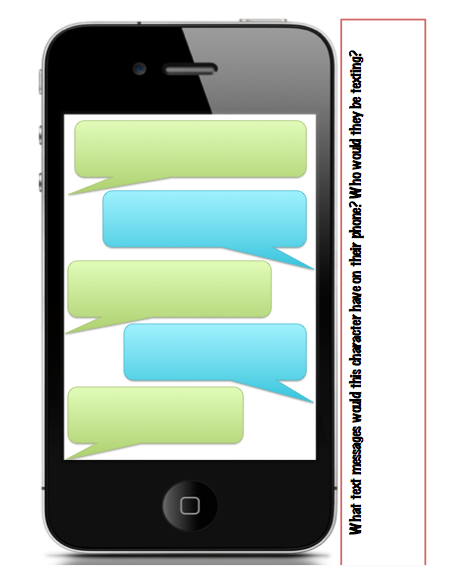
Because of this (and because I couldn't find an online generator for cell phone apps!) I created a Character Cell Phone Hack activity that is available on TPT and Teachersnotebook if you are interested!

A few screen shots:


Monday, January 21, 2013

Teaching Irony in the Secondary English Classroom


I have been working on creating a unit or lesson on irony and I thought I would share it with you guys!


I first learned about irony from the movie Reality Bites: 


It is still one of my favorite movies, but the quote from this movie is:
Lelaina: I mean, can you define irony?
Troy: Its when the actual meaning is the complete opposite from the literal meaning.
Lelaina: My God, where were you when I needed you today?


I plan to start my introduction to irony by giving that exact definition!

I recently created an "Irony" board on Pinterest and plan to use it by asking my furry little friends to explain why the examples given are ironic.

Check it out below or click on it to go to the board on Pinterest.

I then plan to show the following music video and ask students to explain what makes it ironic:
 
Once I feel like they grasp the concept I plan to have them read The Lottery by Shirley Jackson 
  Reading The Story-Ideas 
  1. Box each paragraph and underline key words/ideas in each
  2. Highlight words that you do not know or recognize
  3. At the end of each paragraph write a short summary (imagine you only have 50 cents and each letter costs you a penny)
  4. Circle and Identify:
    • Setting
    • Characters
    • Problems
    • Solutions
  5. Look for, circle, and label examples of:
    • Irony
    • Foreshadowing
    • Tone (Look for proof of friendly as well as sinister)
    • Figurative Language
    • Symbolism
  6. After reading the story give a summary of the entire story
  7. What makes this short story a perfect example of irony?
I have not figured out yet the best way to quiz the kids on this concept. Maybe give them some examples and ask them to state if they are ironic or not? Anyone out there have any ideas they would like to share? :)